How the Audit Log Proves Every Settlement on the Blockchain
Every campaign action on PopLayer — from a bid adjustment to a publisher payout — is recorded in the Audit Log. This isn't just an activity feed; it's a tamper-proof trail backed by blockchain transaction hashes. Here's how to read it.
What the Audit Log Records
The audit log captures five categories of events:
- Campaign events — creation, pause, resume, budget increase, stop
- Settlement events — oracle submission, on-chain confirmation, publisher payout
- Access events — placement linked/unlinked, access requested/granted/revoked
- Financial events — escrow deposit, withdrawal, refund
- Smart rule & schedule changes — any targeting modification
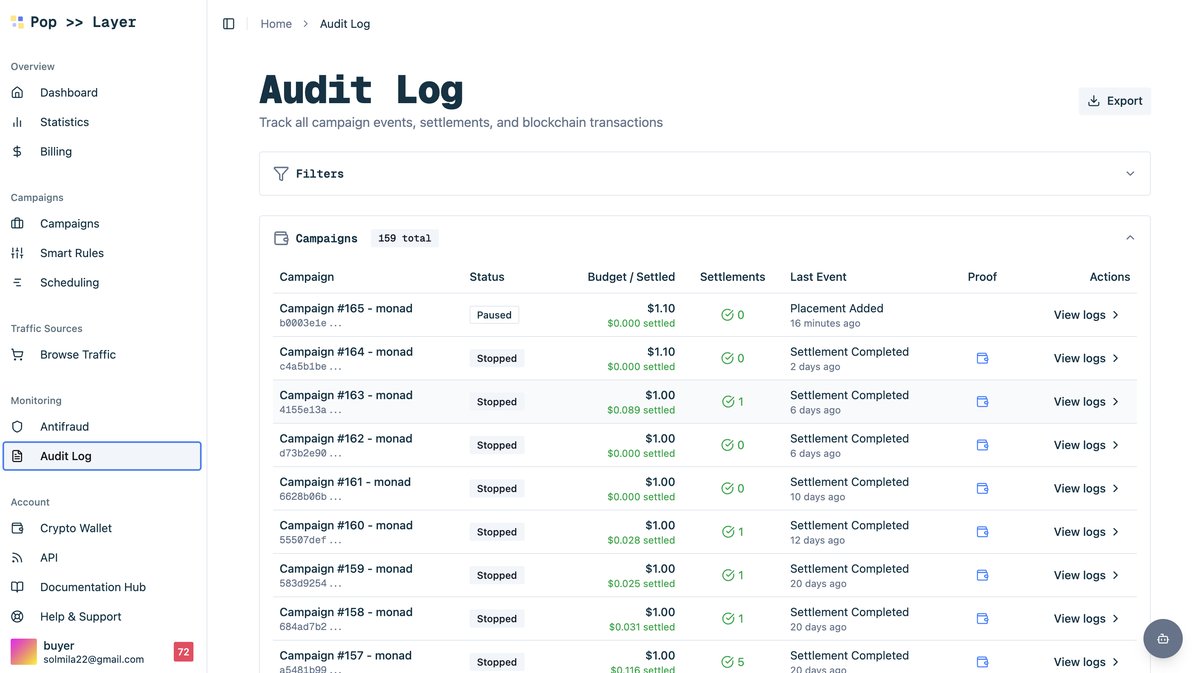
The Campaign Audit List
Navigate to Audit → Deals to see every campaign with auditable activity. Each row shows the campaign name, the number of events, and the most recent event timestamp.
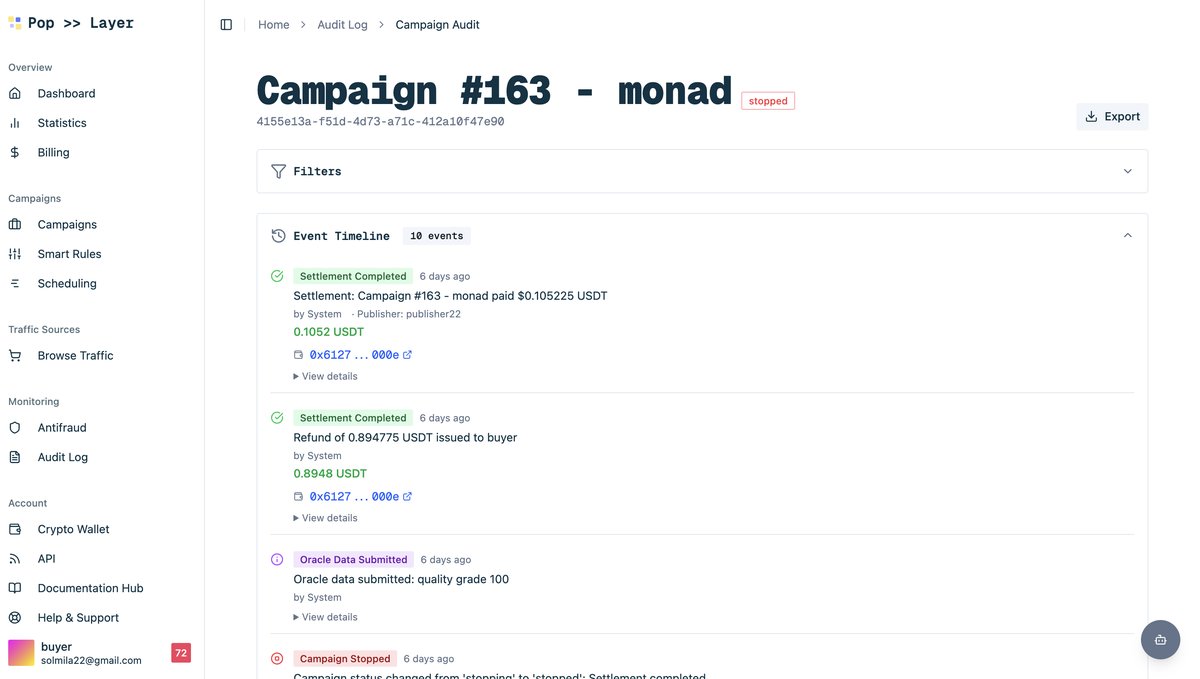
The Event Timeline
Click a campaign to see its full timeline. Events are listed chronologically with type badges, actor names, and human-readable descriptions. Settlement events include the blockchain transaction hash.
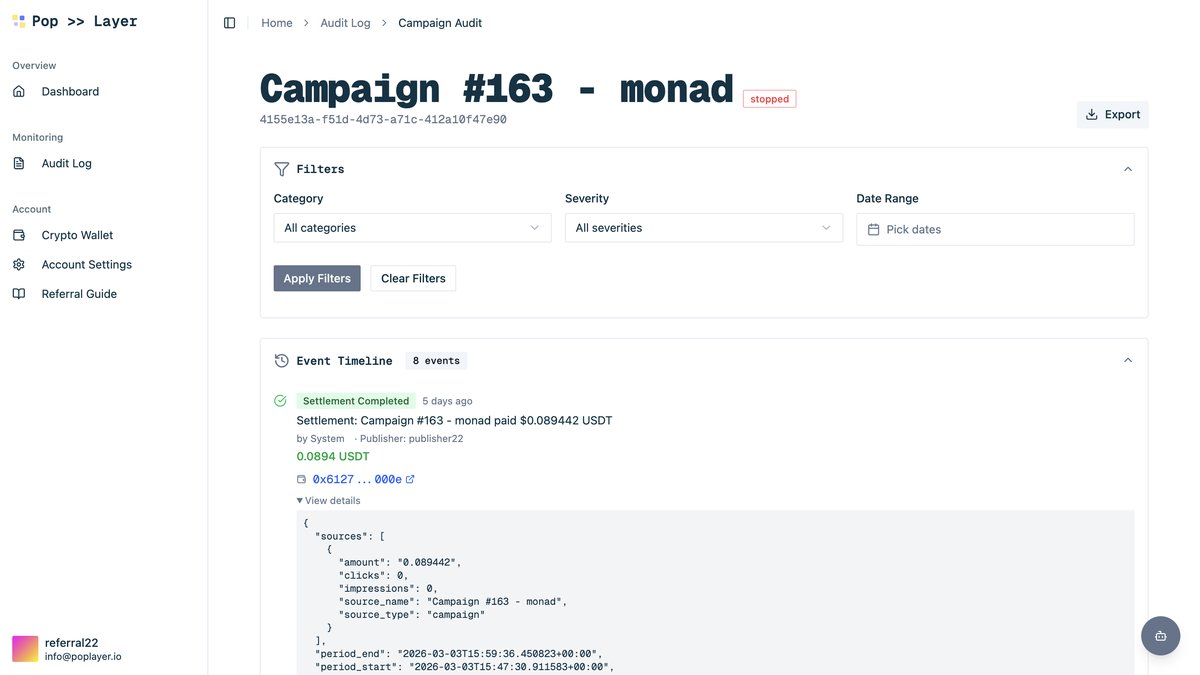
Settlement JSON — The Raw Proof
For settlement events, click View Details to open the raw JSON payload. This includes the exact amounts per publisher, the oracle signature, the transaction hash, and the block number. You can copy the hash and paste it into any Polygon/Arbitrum/BNB block explorer to verify independently.
How to Verify On-Chain
- Copy the
transaction_hashfrom the settlement detail. - Open the block explorer for the campaign's network (e.g., PolygonScan, Arbiscan, BscScan).
- Paste the hash and confirm that the contract call, amounts, and recipient addresses match the audit log entry.
This is the core value proposition: you don't have to trust PopLayer, the buyer, or the publisher. The blockchain is the referee, and the audit log gives you the roadmap to check its work.
Key Takeaways
- The audit log is append-only — events cannot be edited or deleted.
- Every settlement has a blockchain transaction hash you can verify on any block explorer.
- Both buyers and publishers see the same audit trail — no information asymmetry.
Want to understand the wallet that holds your funds? Continue to "Your Crypto Wallet — Setup, 2FA, and USDT Withdrawals."